iPhone · iPad · Apple Watch
Close your distractions. Get back to your focus.
Mola closes the apps you choose during the hours you set or once your daily time is up, and paints every minute of focus into a tile. You don't create an account, and your data stays on your phone.
Coming soon to the App Store
iOS 18 or later. No ads, no tracking.
Get started in three steps
- 1
Choose your apps
Pick the apps, categories and websites that distract you most with Apple's own picker. Your selection never leaves your phone.
- 2
Set up a plan or start a session
Create plans for your work, study and sleep hours; outside a plan, start a focus session whenever you like.
- 3
Paint your tile
Time spent in focus paints a tile. Finished tiles build up on your wall; an unfinished tile picks up where it left off in your next session.
Everything that protects your focus, in one place
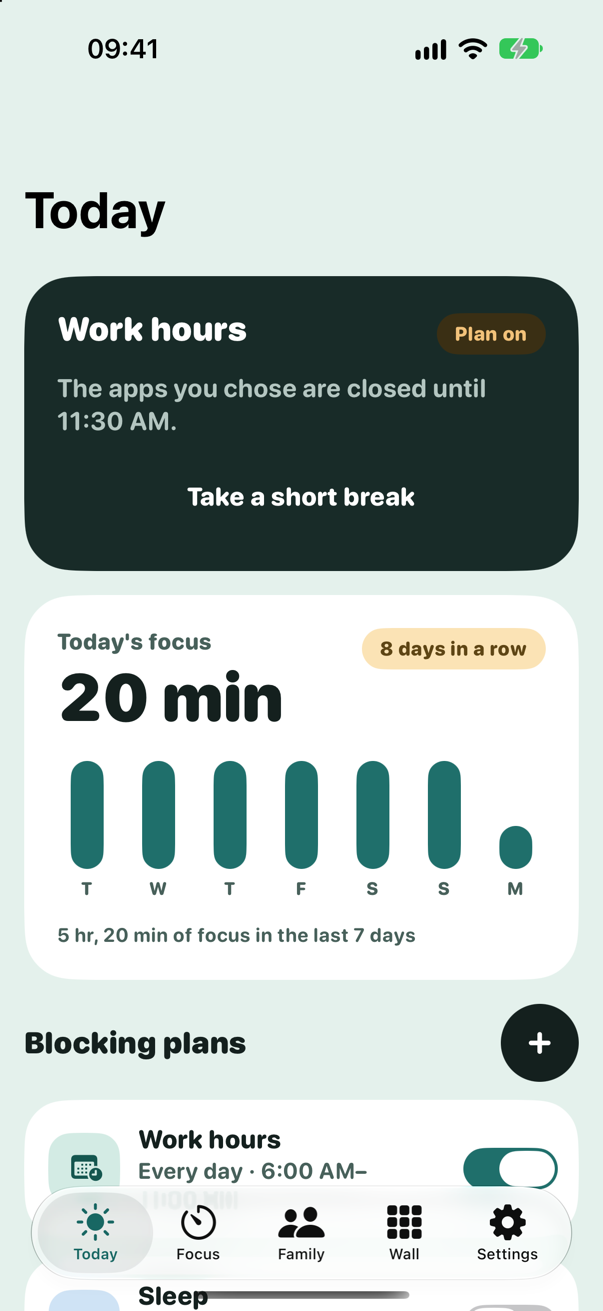
Blocking plans
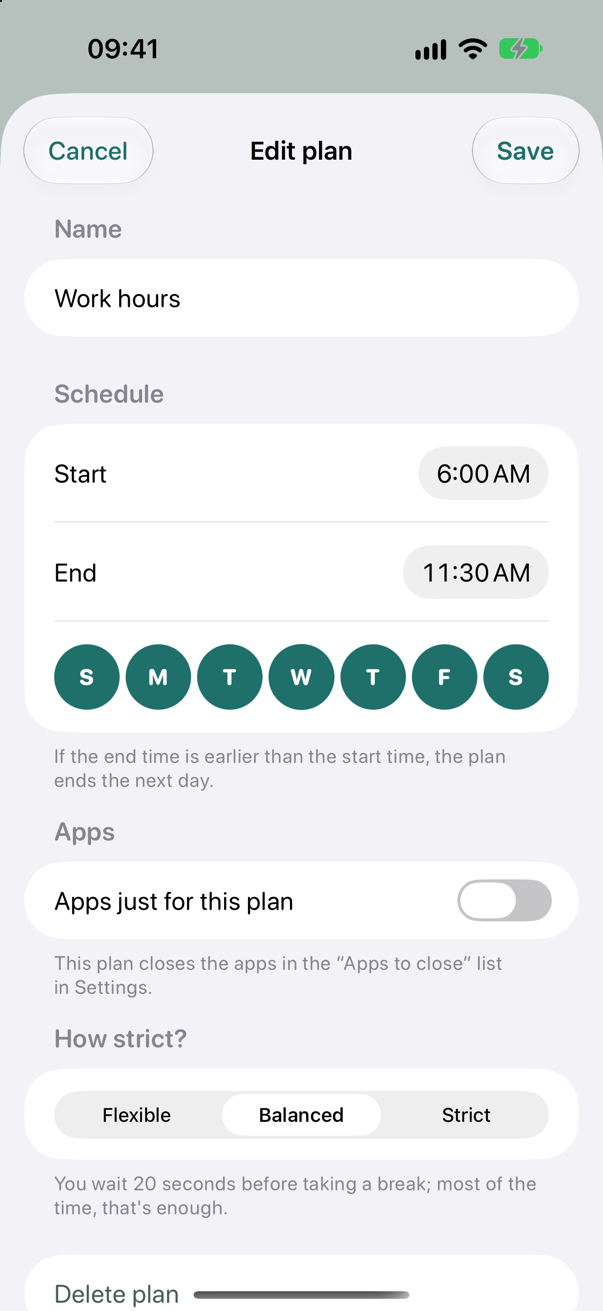
You set the hours, the rest takes care of itself
When a plan starts, the apps you chose close; when it ends, they open again. You can set up separate plans for weekdays, weekends or any days you like.
- Separate plans for work, study and sleep hours
- Plans that run past midnight
- Turn a plan on or off with one tap
Daily limits
Decide how much each day
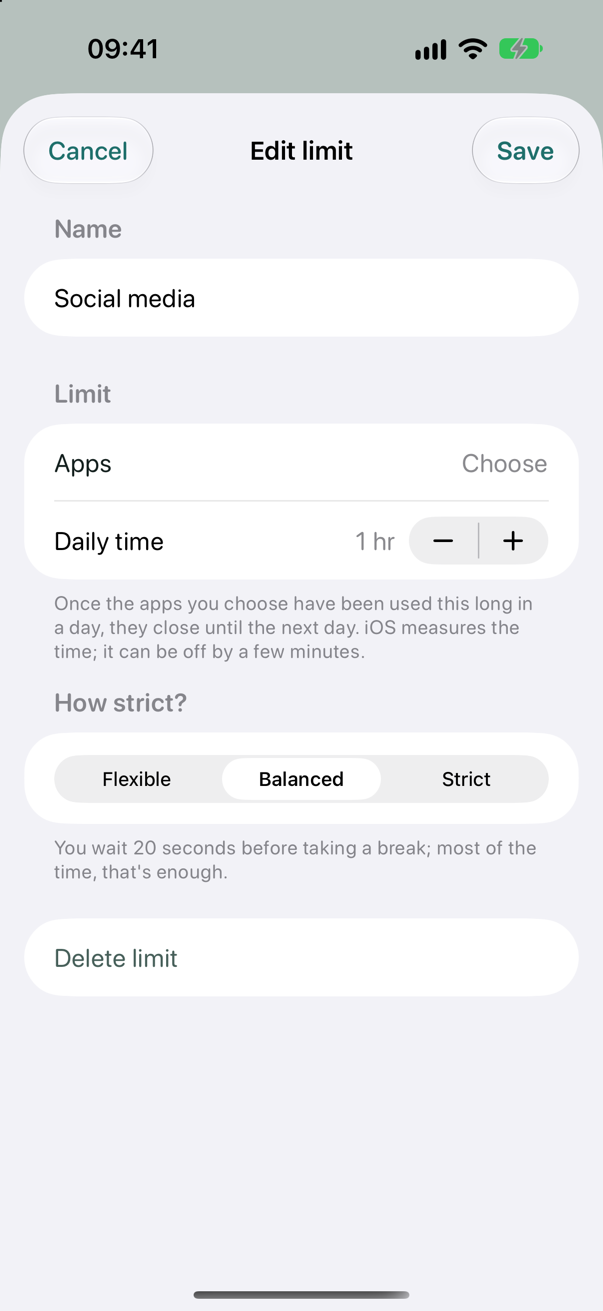
Give the apps you choose a daily amount of time. When the time is up, those apps close until the next day; your other apps stay open.
- A separate choice of apps for each limit
- A daily time from 5 minutes to 8 hours
- iOS measures the time; it can be off by a few minutes
Focus sessions
Pomodoro, study or your own program
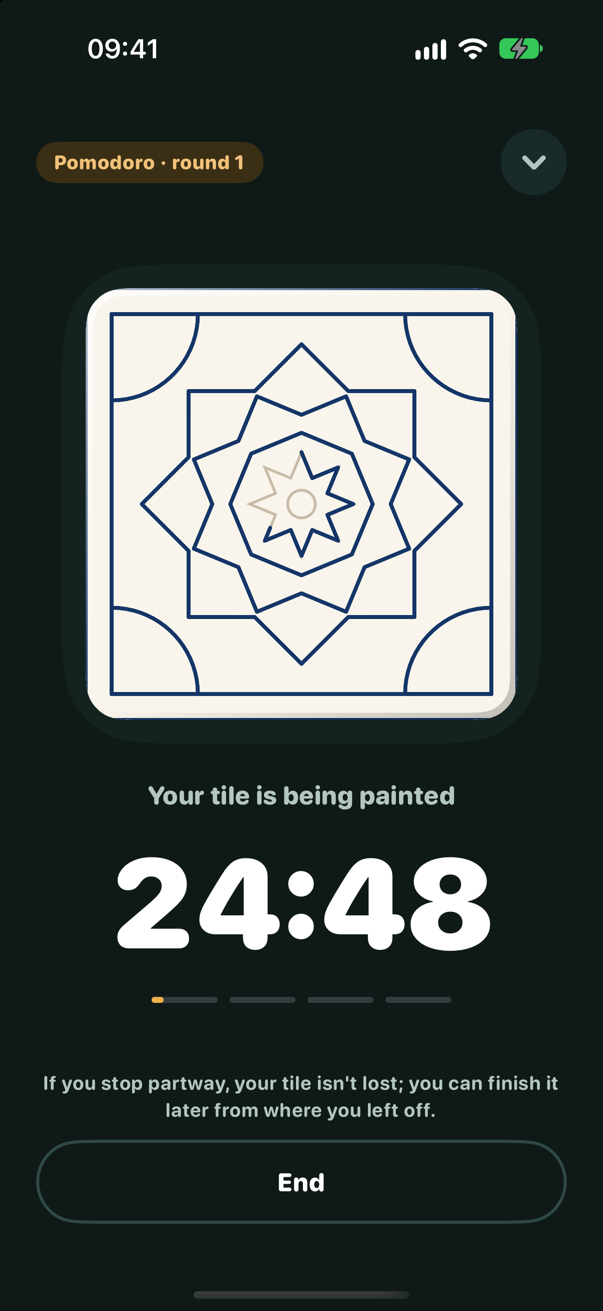
Choose one of the ready-made programs or set the focus time, the number of rounds and the break length yourself. Distracting apps stay closed while the session runs.
- Pomodoro (25 min), Study (45 min), Deep focus (50 min)
- A Live Activity on the Lock Screen and in the Dynamic Island
- A Home Screen widget and a Control Center button
Strictness levels
A brief moment before you give up
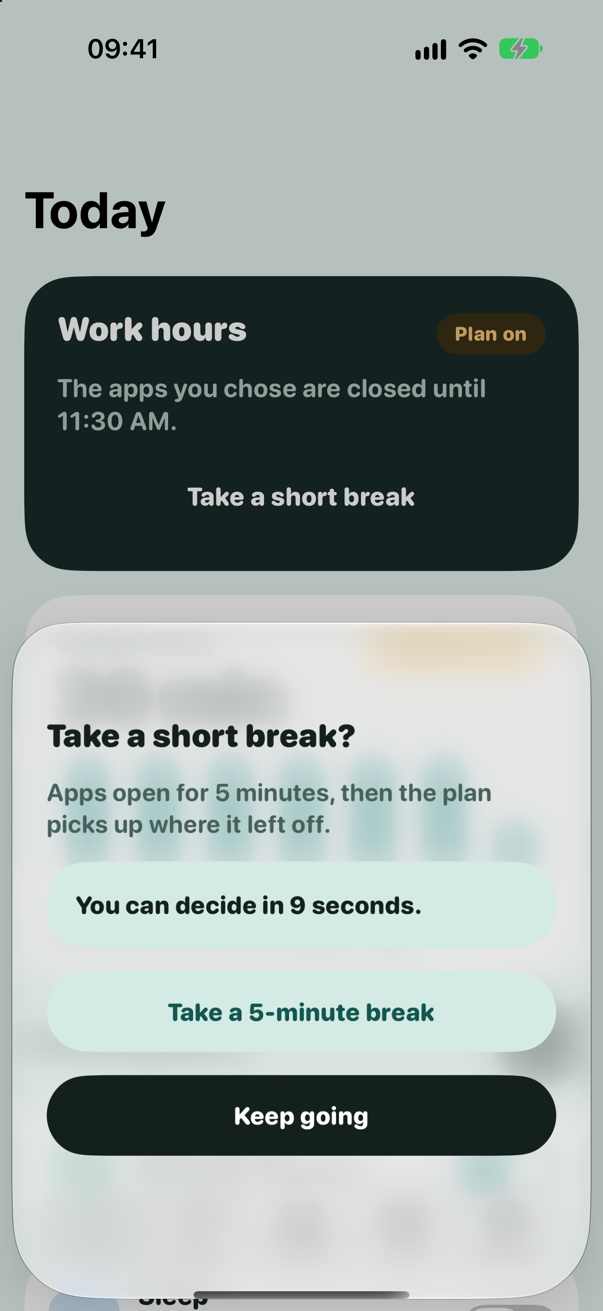
When you want to take a break during a balanced plan or end a session early, Mola first has you wait a moment. Most of the time, that's enough. A strict plan, though, can't be changed until it ends.
- Flexible: a 5-minute break whenever you like
- Balanced: a 20-second wait before a break
- Strict: no breaks until the plan ends
Tile wall
Make your effort visible
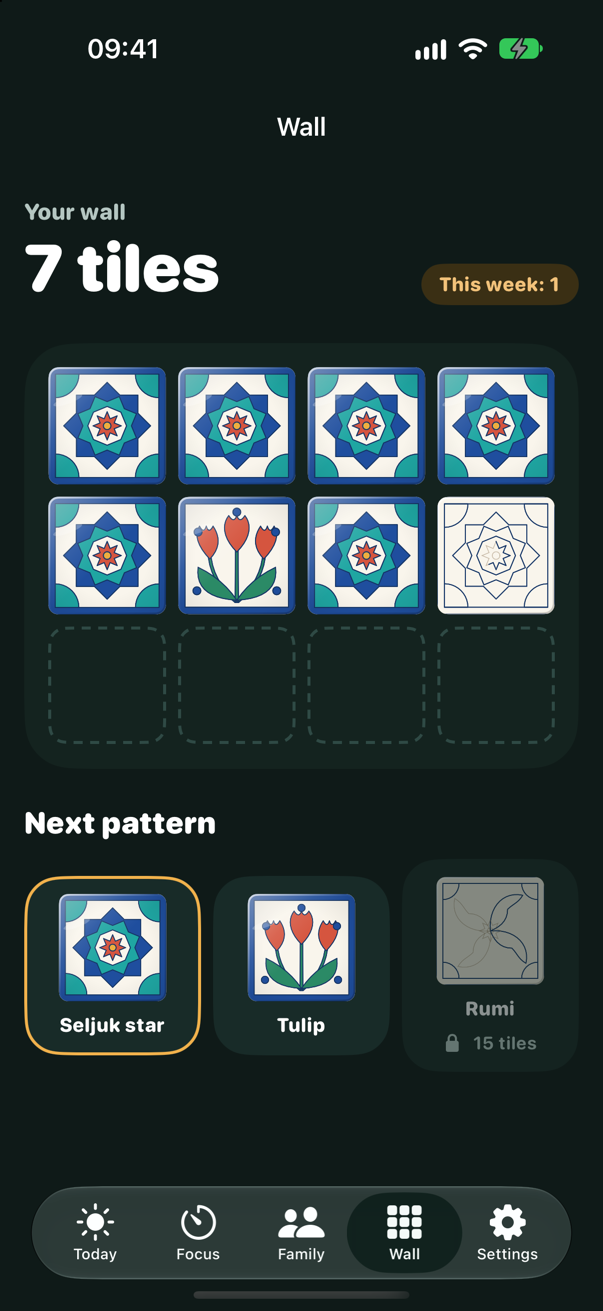
Each tile gets its outline first, then its color and finally its glaze. You start with the Seljuk star; as your wall grows, the Tulip and Rumi patterns unlock.
- Today's focus time and the last seven days
- The number of days you've focused in a row
- An unfinished tile is never lost
Apple Watch
Start your program from your wrist and feel a tap when each round and break begins.
Widgets
Start a session from the Home Screen with one tap and see your remaining time at a glance.
iPad and iPhone Duo
The layout adapts to the size of the screen; when you fold the device, you don't lose your place.
15 languages
Turkish and English, along with German, French, Spanish, Japanese, Korean, Arabic and more.
Family
With your family, if you like
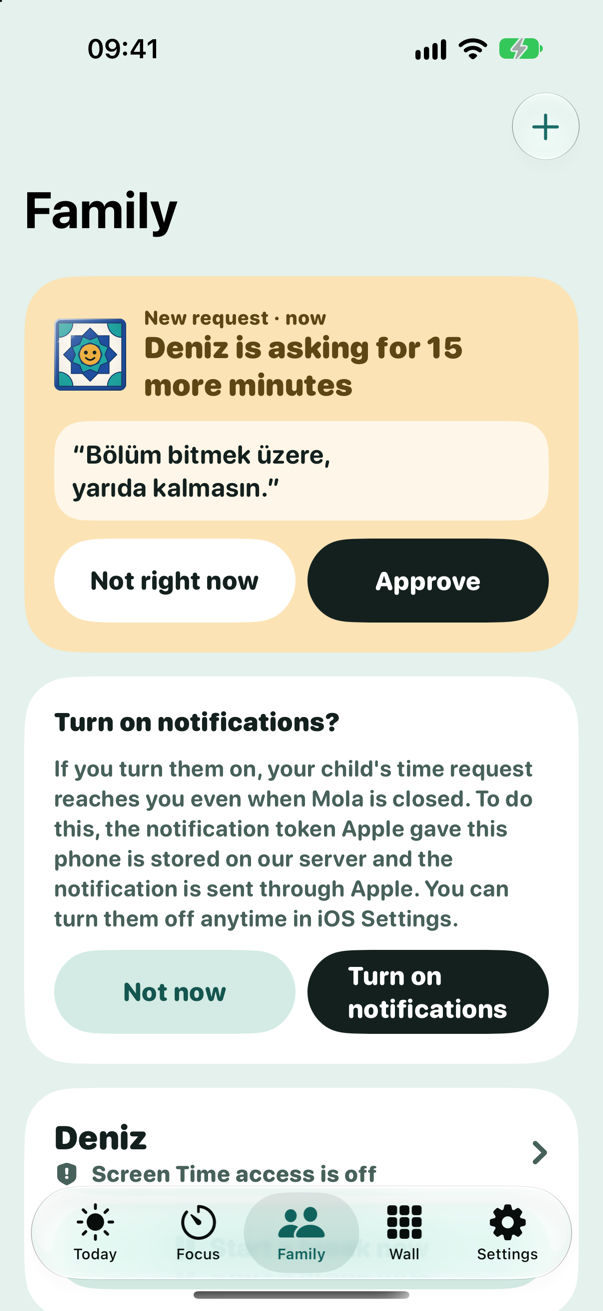
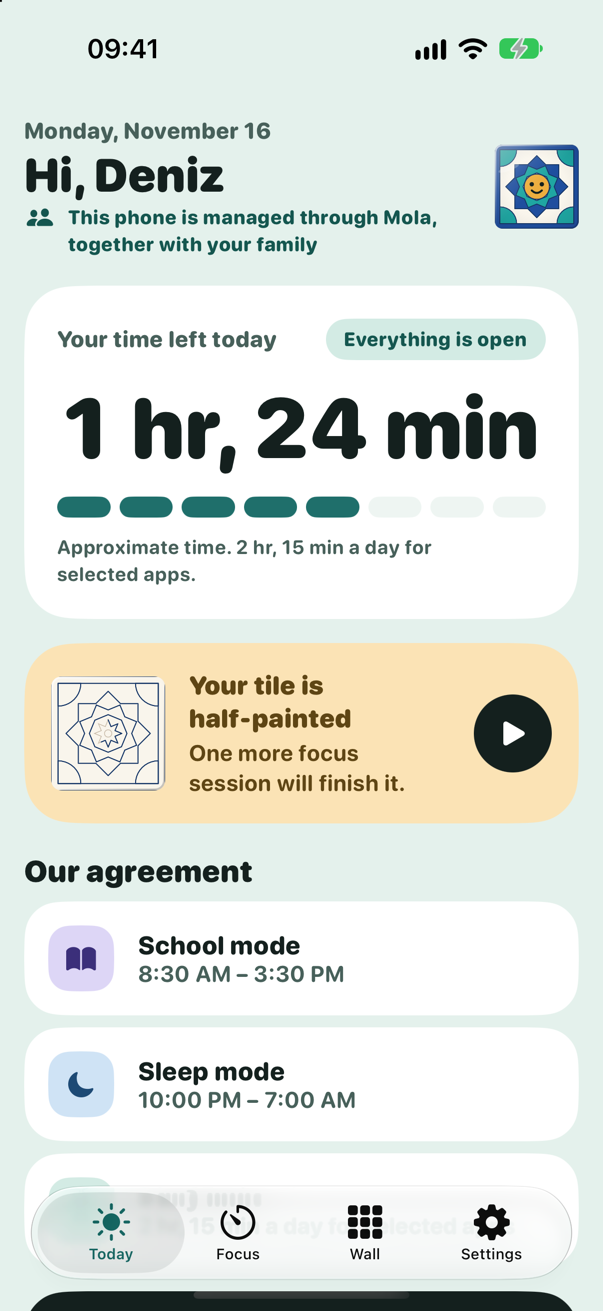
While using Mola for yourself, you can set up a family at any time. You decide on the daily time, school hours and sleep hours for your child's phone together with your child, who sees on their own screen which rule applies, why, and until when.
Rules set together
Daily time, school mode and sleep mode. There are no hidden rules.
Time requests
The child asks for extra time with a short reason; the parent answers with one tap.
An agreement, not surveillance
Mola doesn't show the parent messages, photos, location or which apps are being used.
End-to-end encrypted
Messages between family devices are encrypted on the devices; our server can't read their content.
A break or a new rule from the parent is applied when Mola is opened on the child's phone. Mola works with Apple's Screen Time system.
Privacy
Your data stays with you
We designed Mola to work without collecting data. When you use it on your own, no record about you is created on our server.
Read the full Privacy Policy
- We don't ask for a name, email address, phone number or location; you don't create an account.
- Your app selection, your plans, your focus history and your tile wall are stored only on your device.
- We can't see which apps you use or for how long.
- If you use the family feature, our server holds only random identifiers, encrypted messages we can't read and the notification token of a parent who turns on notifications.
- There are no ads, no tracking and no analytics tools.
Frequently asked questions
Which devices does Mola work on?
It works on iPhones running iOS 18 or later, iPads running iPadOS 18 or later, and Apple Watches running watchOS 11 or later.
Do I need to create an account?
No. You can start using Mola as soon as you open it. The family feature doesn't ask for a name, email address or phone number either; devices are paired with a QR code.
Can I use an app for only a set amount of time each day?
Yes. Create a daily limit in the Today tab, choose the apps and set the daily time. When the time is up, those apps close until the next day. To close them at certain hours instead, use a blocking plan.
What if I really need an app I've closed?
If your plan's strictness level allows it, you can take a 5-minute break. In balanced plans you wait 20 seconds before a break; in strict plans there are no breaks until the plan ends. You can turn off flexible and balanced plans in Mola at any time; a strict plan can't be turned off until its time is up.
Can Mola see which apps I use?
No. You choose apps with Apple's Screen Time picker; Mola doesn't even know the names of the ones you chose and stores only encrypted tokens that are valid on your device alone.
What do I need to use the family feature?
Mola just needs to be installed on both the parent's and the child's phone. So that the child can't remove the rules, we recommend that the child's Apple Account be set up as a child in Family Sharing.
What happens to my data if I delete the app?
Your plans, focus history and tile wall are stored on your device, so they're deleted along with the app. If you've used the family feature, the "Deleting your data" page explains how to delete your records on the server.
Take back your focus
Mola is coming soon to the App Store.